
 Car seats
  Discount
  Maternity
  Strollers
  Bathtime
  Children Clothes
  Mealtime
  Nursey room
  Outdoor
  Playtime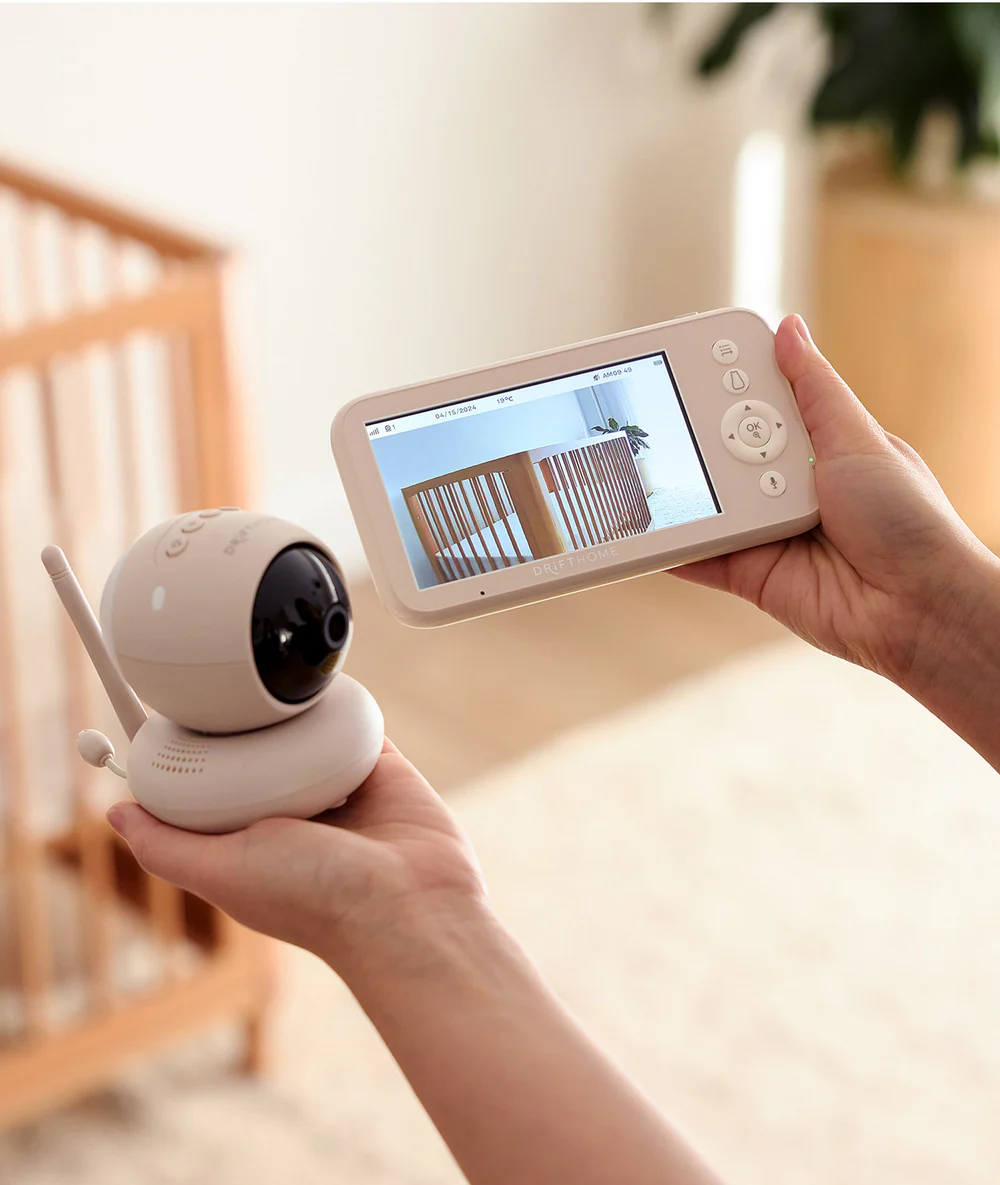

Description
Easy to set up and intuitive to use, Drift Home is thoughtfully designed to help you navigate safe sleep and build confidence during those precious early days – and beyond.
Introducing the ergoPouch Drift Home Baby Monitor with Smart TOG Guide – a one-of-a-kind baby monitor designed with both parents and babies in mind. Developed by the experts in baby sleepwear, Drift Home allows you to connect up to four cameras to a single monitor, making it easy to keep an eye on multiple children or rooms.
Drift Home automatically measures your baby’s room temperature and uses the built-in Smart TOG Guide – the digital version of our well-known What to Wear Guide – to provide real-time, personalised recommendations on how to dress your baby appropriately for sleep based on the room temperature.
It offers a simple, clear and safe solution that gives parents peace of mind when leaving the room, while staying connected to their little one.
To prioritise your family’s privacy and security, Drift Home does not use Wi-Fi, reducing the risk of hacking or unauthorised access.
Features
- Built-in Smart TOG Guide for personalised clothing recommendations
- Wi-Fi-free connection for enhanced privacy and security
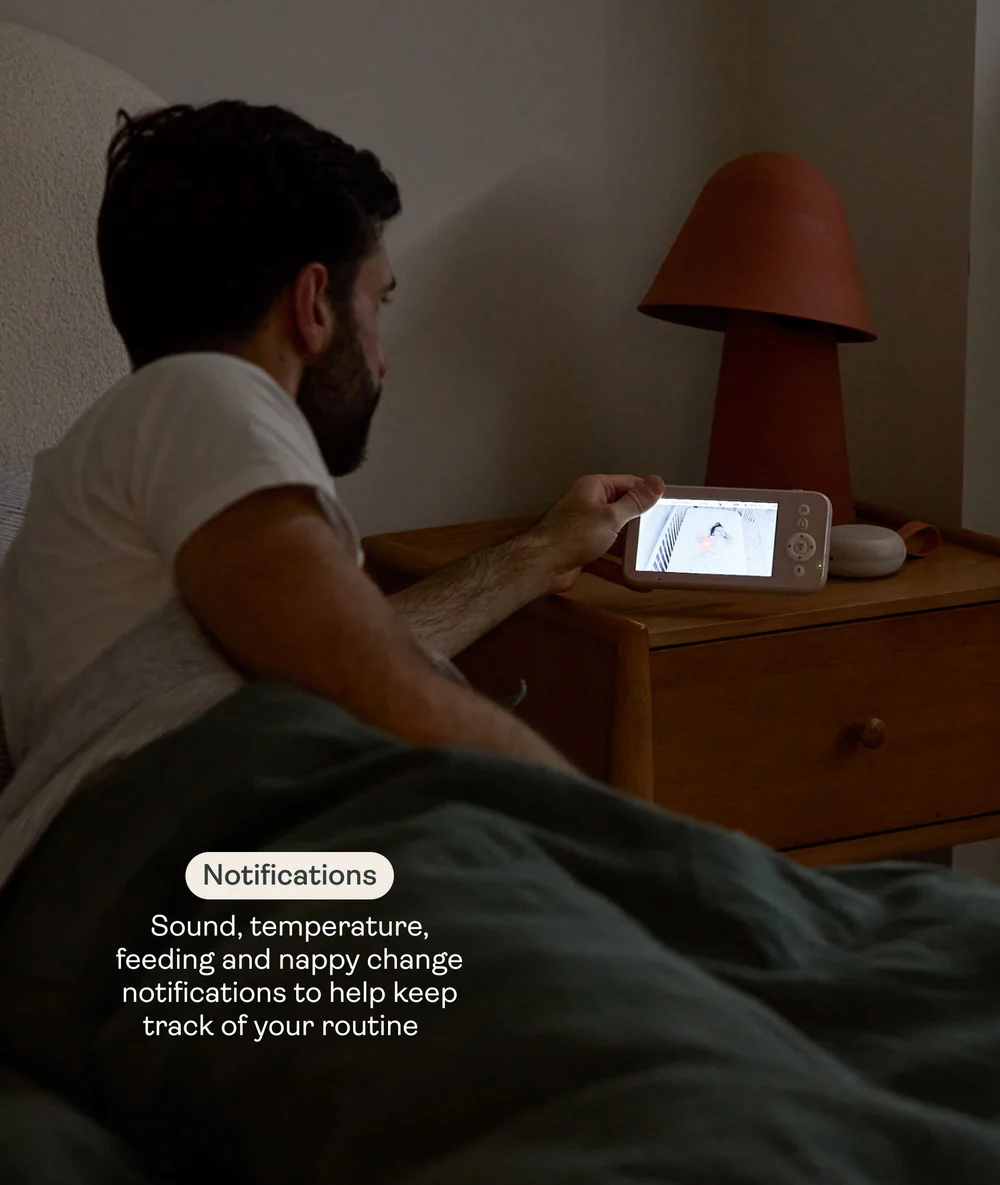
- Sound, room temperature, feeding and nappy change notifications to help you stay on top of your daily routine
- Built-in night light with 3 colour options
- Sound machine with 5 soothing sounds: White Noise, Heartbeat, Fan, Rainforest and Ocean
- Automatic night vision with clear black-and-white viewing up to 2 metres (up to 6 metres total night vision range). Uses invisible infrared LED light that is gentle on your baby’s eyes and won’t disturb sleep.
- 8-level brightness adjustment on the monitor
- Up to 300 metres operating range, depending on your home’s layout, wall materials and thickness, and other sources of interference
User Guide
1. Charging and powering the monitor
- Connect the monitor to a power outlet using the supplied power adapter.
- When the charging indicator turns off, the battery is fully charged. Disconnect the monitor from the mains.
2. Powering the camera
- Connect the camera to a power source using the supplied USB-C cable and power adapter.
- Only use the power adapters included with the product.
- Keep the camera and power cord out of your baby’s reach.
3. Pairing the monitor and camera
- One camera is pre-paired with the monitor at the factory.
- Simply power on both devices and they will connect automatically.
- To add additional cameras, press the Pair button on the bottom of the camera. Then press the Menu button on the monitor, select Pairing, and the monitor will automatically pair with the camera.
- Once pairing is successful, the camera number and icon will appear in the top left corner of the screen.
- If the monitor is placed too close to the camera, microphone feedback may occur. Keep at least 1.5 metres (4.9 ft) between the monitor and camera.
- For best results, pair the camera in the room where it will be used.
4. Positioning the camera
- Place the camera 1.5–2 metres (4.9–6.6 ft) away from your baby for the best viewing angle and night vision performance.
- Always ensure the camera remains out of your baby’s reach.
5. Wall mounting the camera
- Choose a mounting location that is out of your baby’s reach.
- Secure the wall bracket using the supplied screws and wall plugs, then attach the camera firmly to the bracket.
- For safety, it is strongly recommended to use the supplied screws and wall plugs. Do not release the camera until you are certain it is securely mounted.
Monitor Specifications
- Screen size: 5 inches
- Aspect ratio: 16:9
- Volume control: 7 levels
- Brightness control: 8 levels
- Digital zoom: 2× / 4×
- Two-way talk: Yes
Camera Specifications
- 5 soothing sounds: White Noise, Heartbeat, Fan, Rainforest and Ocean
- Resolution: 1280 × 720p
- Power input: 5V / 2A (USB-C)
- 360° pan and tilt
- Digital zoom: 2× / 4×
- Digital RF transmission: 2.4 GHz
- Night vision: Clear black-and-white image up to 2 metres, total range up to 6 metres
- Light sensor: Yes
- Two-way talk: Yes
 stay up to date with new